translator
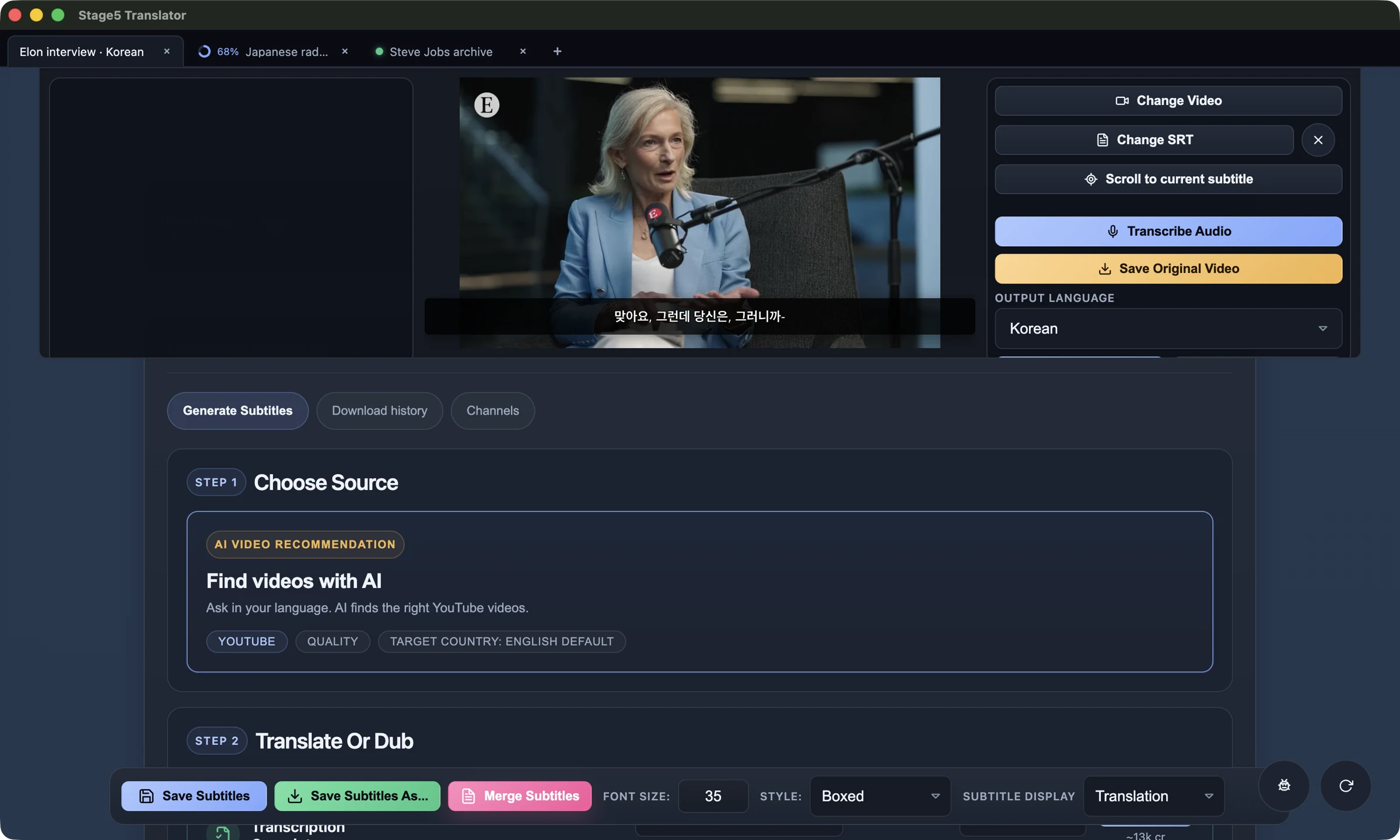
AI Video Translation & Subtitle Editor
Add AI-translated subtitles to any video. Download videos from YouTube and other platforms, translate to over 30 languages, and edit/merge subtitles with precision.
Video Download
Download videos from YouTube and other platforms simply by entering the URL. Get high-quality video files ready for subtitle processing.
Subtitle Editing & Merging
Edit subtitle timing and text, then merge and embed them directly into your videos with precision or download as SRT files. Support for multiple subtitle formats and seamless integration.
AI Translation
Translate subtitles to over 30 languages with AI-powered precision. Maintain context, tone, and cultural nuances in your translations.
How it works
From URL to translated subtitles in minutes. Translator is the AI video translator built for creators, teams, and learners.
Download or import your video
Paste a URL from YouTube or another platform, or bring your own MP4 file.
Generate or import subtitles
Create subtitles with AI transcription or import existing SRT, VTT, or ASS files.
Translate with AI
Translate subtitles to 30+ languages while preserving tone and context.
Export and publish
Export SRT/VTT or burn subtitles into your video for sharing anywhere.
Supported languages (30+)
Translate YouTube subtitles to Spanish, Korean, Japanese, Chinese, French, German, Portuguese, and more.
Use cases
Translator combines a video subtitle editor, SRT translator, and AI translation workflow for any content pipeline.
Creators localizing YouTube content
Turn one video into multiple languages with an AI video translator and subtitle editor.
Learn more →Language learners studying foreign content
Compare original and translated subtitles side by side for faster comprehension.
Learn more →Businesses translating training videos
Localize internal training, onboarding, and marketing videos for global teams.
Learn more →Fans translating entertainment
Translate subtitles for podcasts, anime, K-drama, and indie films in minutes.
Learn more →Frequently asked questions
Quick answers to the most common questions about Translator.
Is Translator free to use?
Video downloading and subtitle editing are free. AI transcription and translation use paid credits.
What subtitle formats do you support?
Translator supports SRT, VTT, and ASS files for import, editing, and export.
Which platforms are supported?
Translator runs on macOS (Apple Silicon + Intel) and Windows.
How many languages can I translate to?
You can translate subtitles to 30+ languages.
Video downloading and subtitle editing/merging are free • Only pay for AI transcription/translation